 Documentation
Linking an ORCID iD to Your e-INFRA CZ Account
This guide explains how to link your ORCID iD (Open Researcher and Contributor ID) to your e-INFRA CZ identity using the Perun profile management system.
ORCID iD is a free, globally recognized identifier that distinguishes you from other researchers with similar names (e.g., “J. Novák”). By linking it to e-INFRA CZ, you ensure:
- Your research record remains consistent even if you change institutions, email addresses, or name formats
- It connects your publications, datasets, software, etc. across systems (Scopus, Web of Science, etc.)
- It enables e-INFRA CZ to correctly associate your publications with your user account for reporting and grant tracking
How to link your existing ORCID iD
If you already have an ORCID iD, follow these steps to connect it to your e-INFRA CZ account.
-
Go to the e-INFRA CZ profile management page: https://profile.e-infra.cz/profile/orcid
-
If you are not already logged in, you will be redirected to the e-INFRA CZ login page
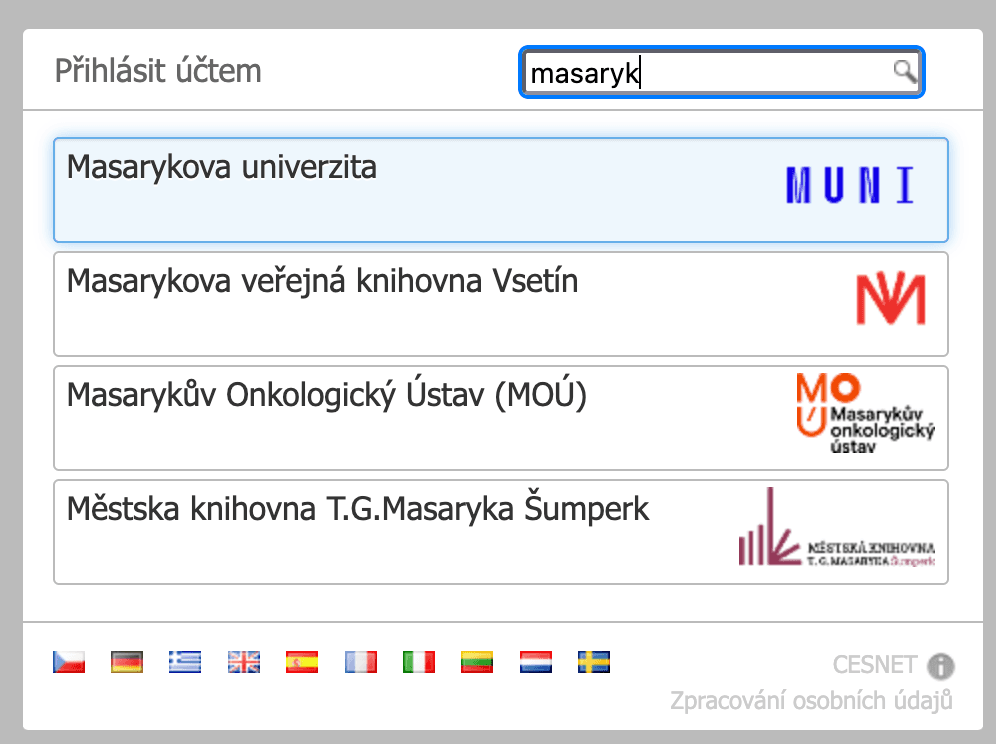
- Select your home organization (the institution linked to your e-INFRA account) from the list of institutions
- Enter your standard institutional credentials
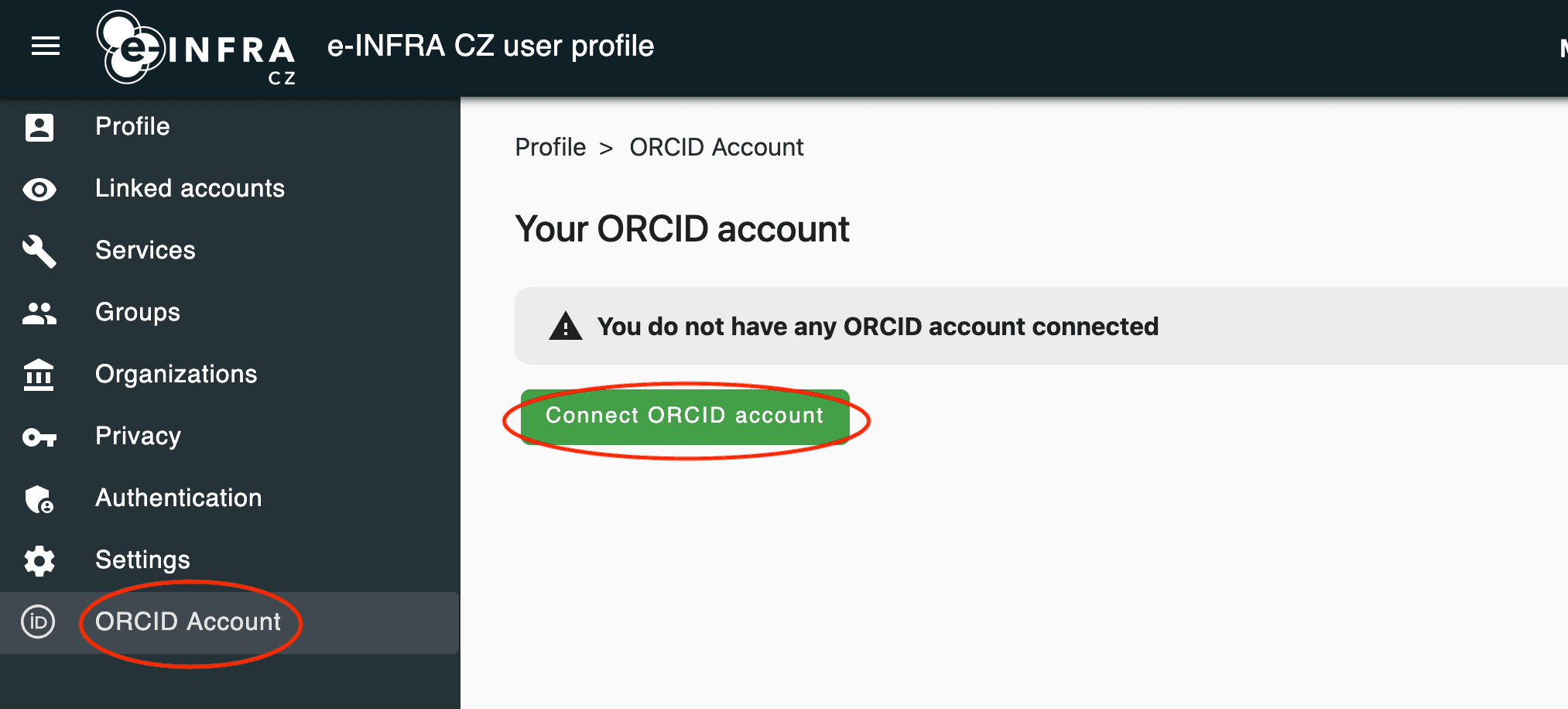
- Once logged in, in the ORCID section click the
Connect ORCID accountbutton
- Authorize e-INFRA CZ
- Log in to your ORCID individual or institucional account
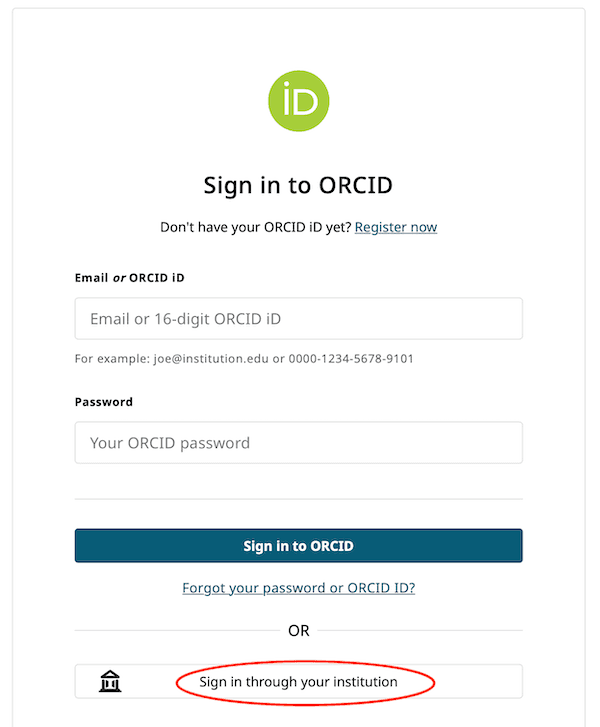
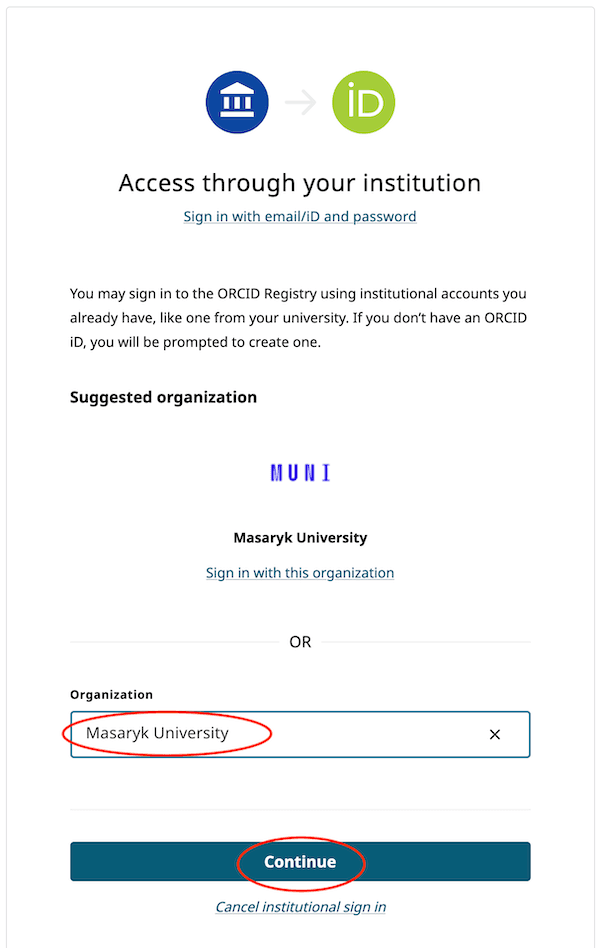
- Click Authorize access to allow e-INFRA CZ (Perun) to read your ORCID record
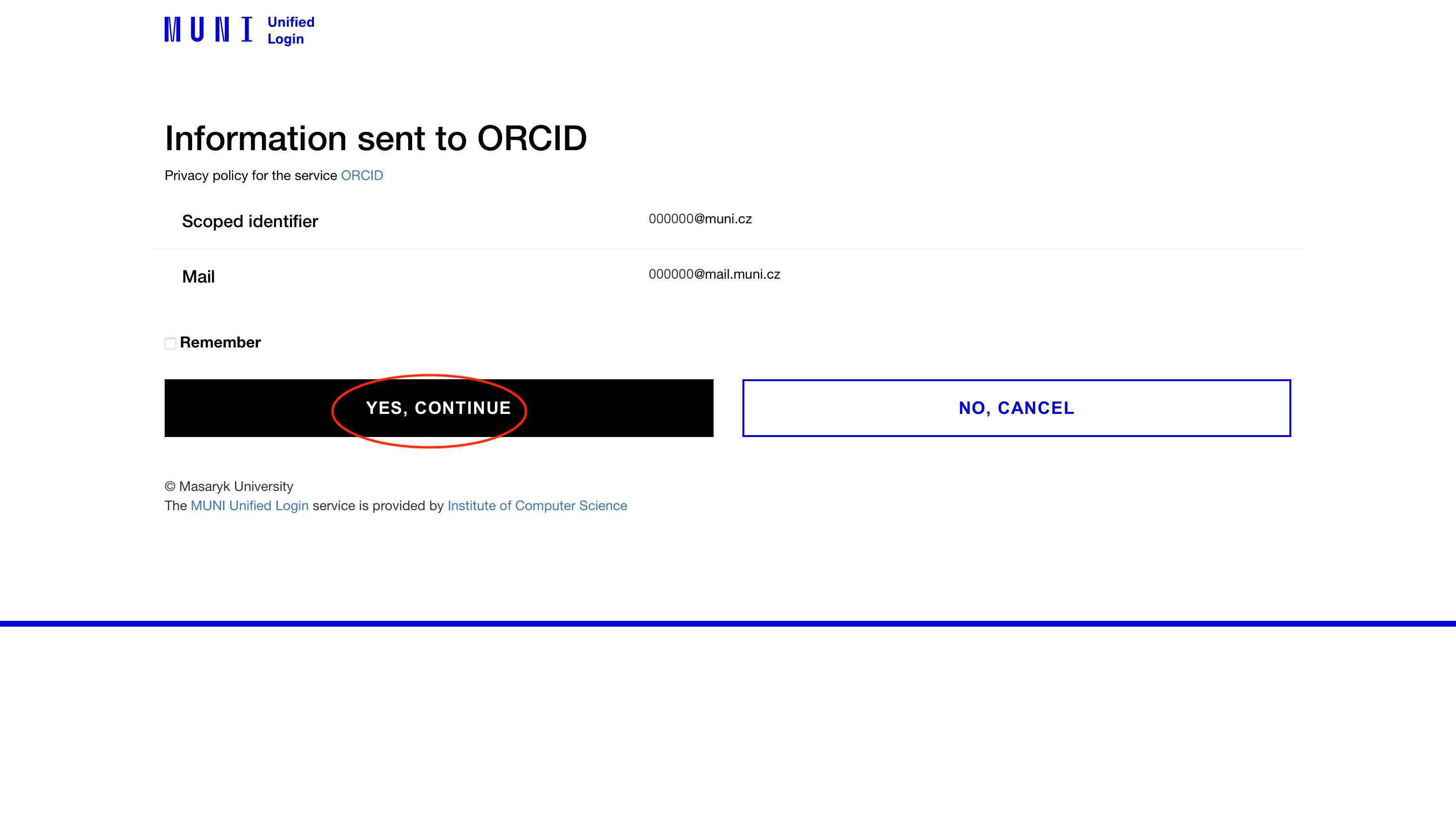
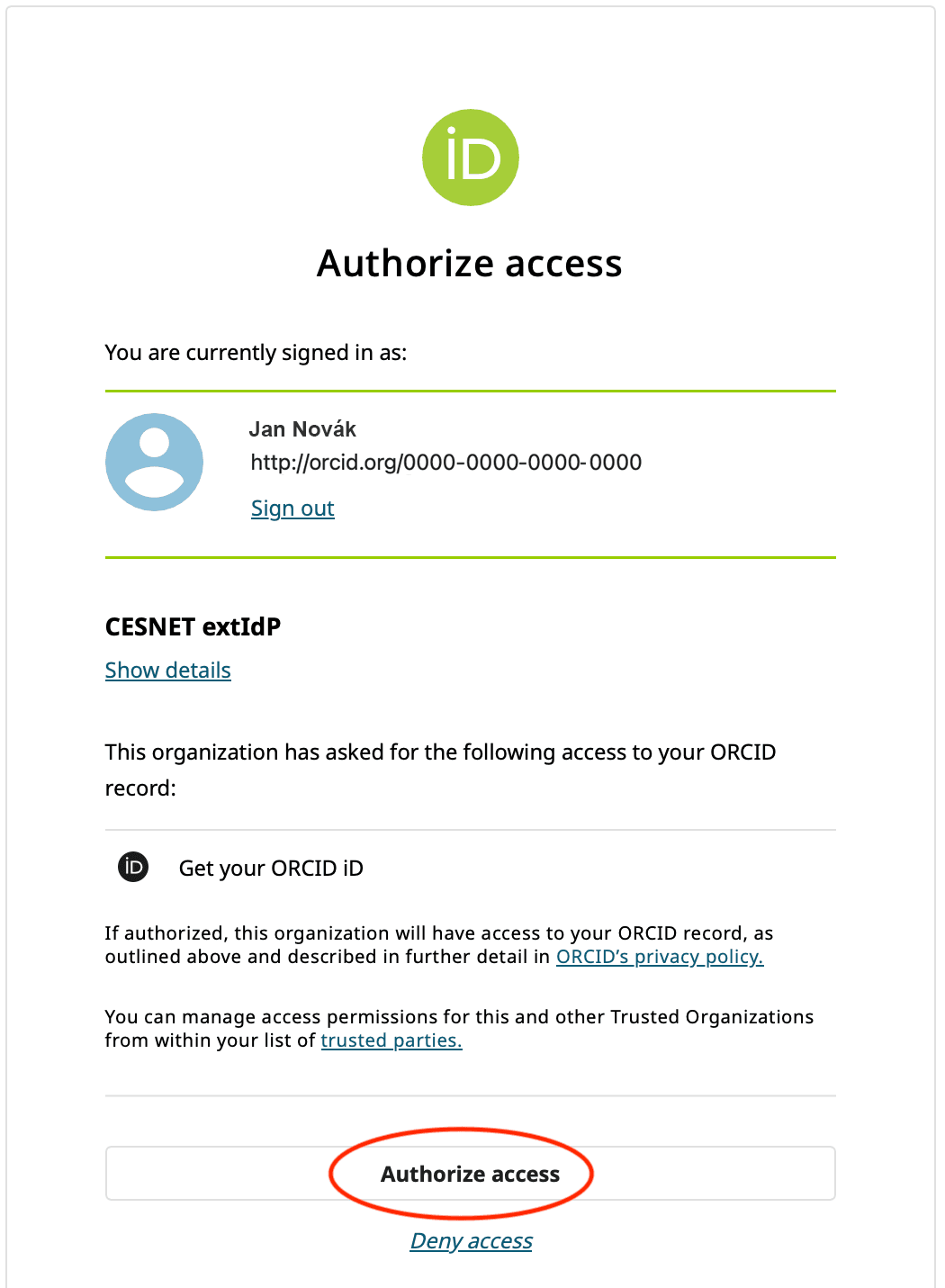
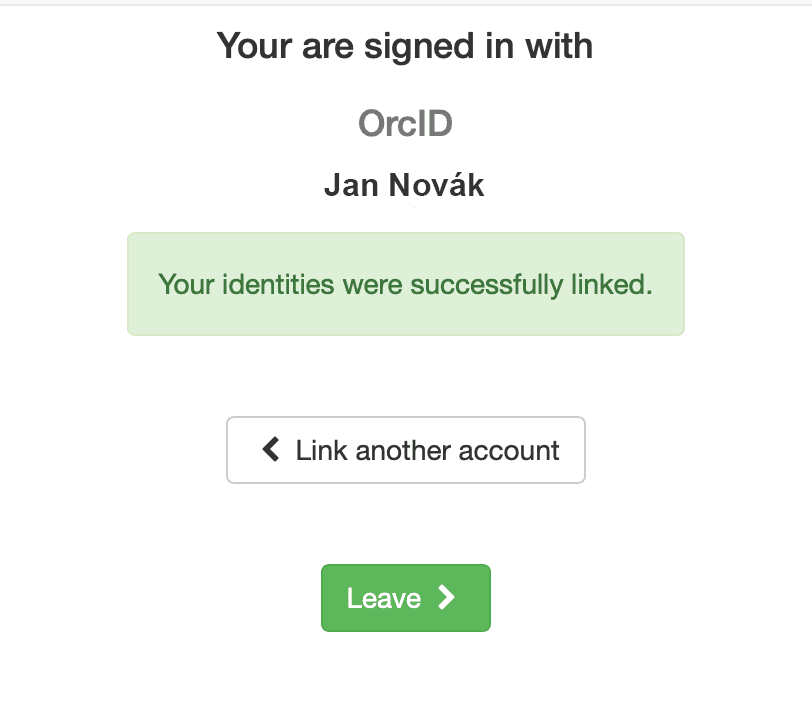
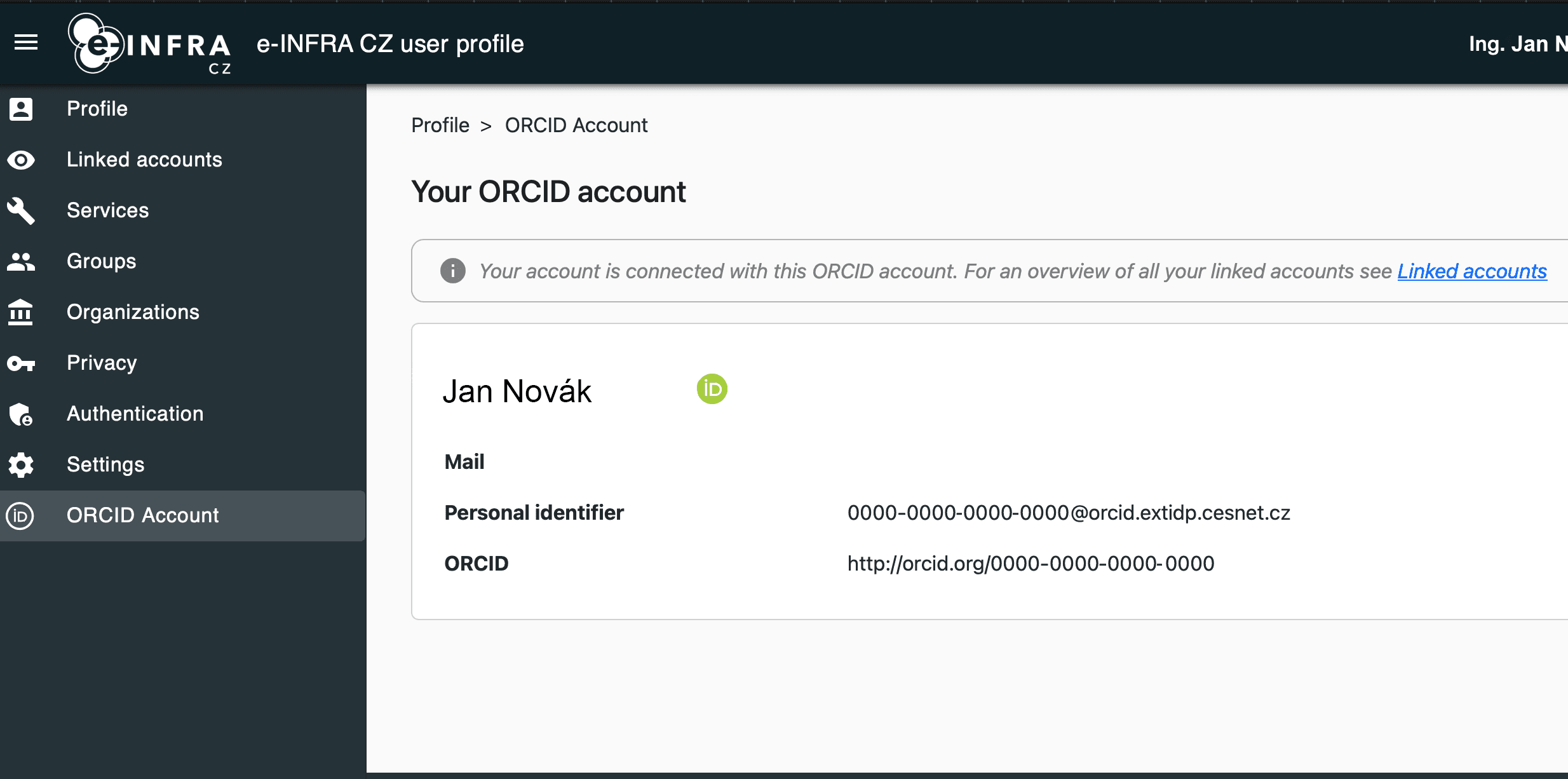
- Confirmation: You will be redirected back to your e-INFRA CZ profile. You should now see your ORCID iD listed with a status confirming the link is active.
Don’t have an ORCID iD yet?
If you do not have an identifier yet, creating one takes only a few minutes.
-
Register: Go to https://orcid.org/register
-
Enter your name and email
-
We recommend setting your profile visibility to Public or Trusted Parties so that connected systems can verify your data
-
(Recommended) Add your current affiliation and link trusted sources (e.g., Crossref) to import your outputs automatically
Note: Once you have registered and verified your email address with ORCID, please return to the How to link your existing ORCID iD section above to complete the process.
Managing your identity
Keeping Your Profile Updated
Whenever you acquire a new digital identity, change your home organization, update your email address, or change your password, you can manage these settings centrally at the e-INFRA CZ User Profile.
The goal: automation and accuracy
Our overarching goal is to achieve a fully automated pipeline for capturing research impact. This ORCID-driven process will eliminate manual reporting and ensure the accuracy of data.
To protect users from excessive reporting, we utilise an automated data collection system. For this system to function reliably, we require the users:
-
Link the ORCID iD to your e-INFRA account and use the ORCID iD for all publications
Transition Period: Fair-share & manual reporting
During the transition period to a fully automated system, the following temporary manual step is required: Please continue to register your publications manually (https://metavo.metacentrum.cz/cs/myaccount/pubs).
Here is what happens in real life—and where credit often gets lost:
| Scenario | Status | The Result |
|---|---|---|
| Acknowledged + ORCID registered | ✅ Perfect | We can connect the publication with our users automatically. Impact is fully counted. |
| Acknowledged, ORCID not registered | ⚠️ Incomplete | We might find the paper, but we cannot reliably identify in our system who did the work. |
| ORCID registered, not acknowledged | ⚠️ Invisible | We know who you are, but there is no acknowledgement. Impact can not be counted. |
Troubleshooting
- “Access Denied” at ORCID: Ensure you are using the correct password for your ORCID account, not your university password
- Looping Login: If the page redirects you repeatedly, try clearing your browser cookies or using an Incognito/Private window
References
- For context on ORCID from a Czech/EU GDPR perspective, you can view the NTK webinar ‘ORCID and GDPR’ (including legal commentary by Jakub Míšek)
- Jak získat ORCID iD a jak si chytře nastavit profil (CZ)
- What is ORCID? on Vimeo
- A Quick Tour of the ORCID Record on Vimeo
- Day 1: Register your ORCID and associate it with your U-M identity - Research Impact Challenge
- Names are not enough to ensure credit for your work and are inadequate for reliably connecting researchers with their research outputs…